
Animation Agent: How It Works and What It Can Do
Animation Agent in 2026: A Smarter Way to Create Animation
Digital assistants build cartoons and motion art from scratch. These automated programs turn raw text prompts into full scripts, visual assets, and voice tracks without manual help. Review this guide to understand animation agent setups and how automated helpers connect story planning to final render engines. Explore solutions like Magiclight AI that convert written outlines into complete animated cartoons.
Part 1. How Animation Agents Are Used in Animation Creation
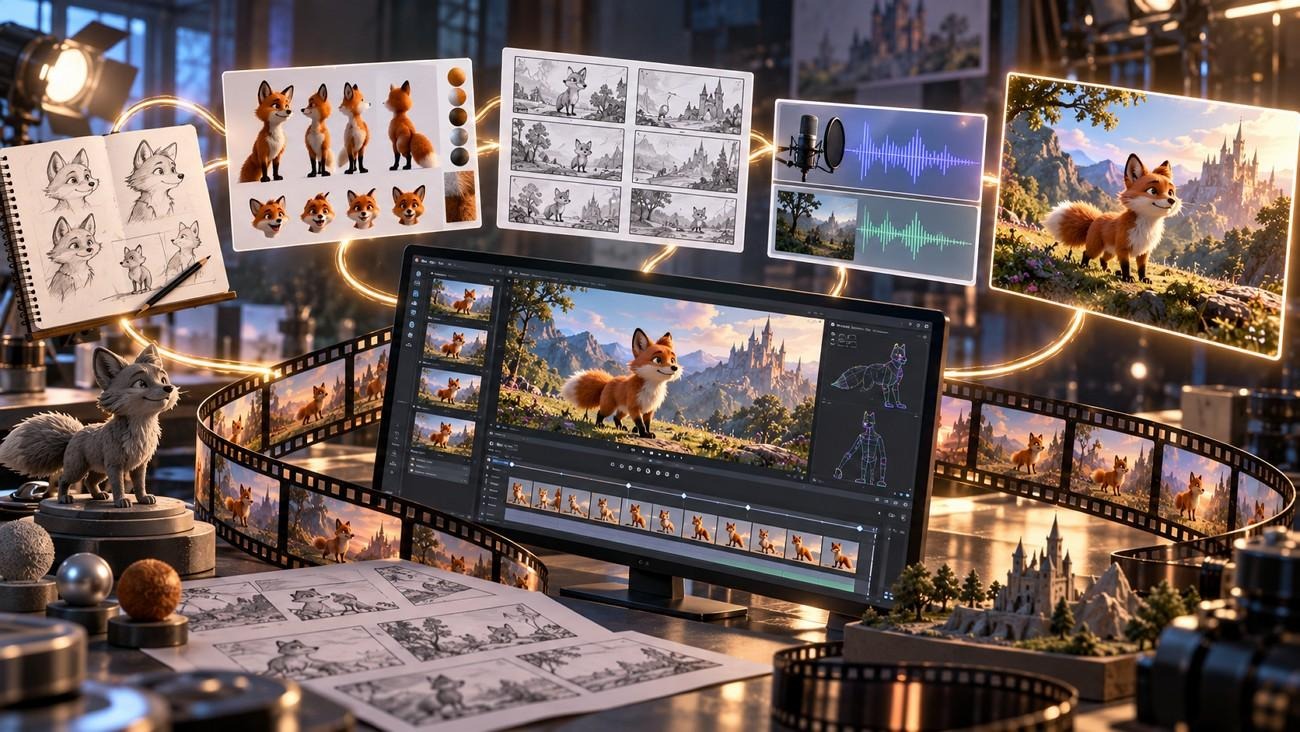
Animation agents are typically handed the jobs a small studio would split between a writer and an illustrator. A 4-minute classroom lesson on how bees make honey breaks down into 4 jobs, all assigned to one agent:
Develop the Story: The teacher’s one-line idea turns into a 4-minute script, narrated by a worker bee in fourth-grade vocabulary.
Design Characters and Scenes: Design the bee from different angles before animation begins. Plan the hive and meadow so the look stays consistent throughout the video.
Create Storyboards: Divide the script into clear shots. An animatic, a timed slideshow of those shots, reveals any scene that runs too long before animation starts.
Add Visuals and Audio: Video models animate each shot, and lip sync matches the bee’s mouth to her narrated lines. Captions go in last, since some students may watch the lesson with the sound off.
Keeping these 4 jobs in one system removes the file handoffs a studio would otherwise make between specialists. The same setup fits a game trailer or a short mascot ad, where one character has to look identical in every shot.
Part 2. How Animation Agents Connect the Creative Workflow
An animation agent connects the workflow by passing each finished stage directly to the next. Each completed step can guide the next one. In the bee lesson, the approved script feeds the storyboard without being retyped. The bee’s character sheet then travels with every shot, so her stripes and wings match in each scene.
Behind the agent, a language model usually writes the plan while separate generation models produce the visuals and the voices. Platforms route that work differently, using a specialist agent per stage or one agent that calls every model. A typical agent animation workflow can follow 5 main stages, with each stage providing what the next one needs. This table explains each in detail:
Workflow Stage | What the Agent Does | What Moves Forward |
Idea or Prompt | Asks who the video is for and how long it should run | A brief the creator confirms |
Planning | Turns the brief into a script, then splits it into numbered shots | A shot list waiting for approval |
Asset Creation | Generates the cast, backgrounds, motion, and voices | Animated scenes with matching audio |
Review | Regenerates any shot the creator rejects | Scenes the creator has accepted |
Completed Animation | Orders scenes, syncs sound, and adds captions | A video sized for each platform |
Standalone generators usually handle one task at a time. Each prompt returns one still image or one clip, often 10 seconds or shorter, with no memory of the scenes before it. Keeping one character identical across dozens of clips then requires retyping the same description into every prompt. Animation agents attach the saved plan and cast to each scene instead, so the description is written once.
MagicLight AI runs this setup for stories, starting each project with its Agent instead of a settings page. After a short chat about the idea, the MagicLight Agent writes the script and picks a format such as Short Drama. The tool can also offer 3 different production plans before the project begins. Of those plans, the cheapest uses static scenes, and the approved one moves into production inside the same project.
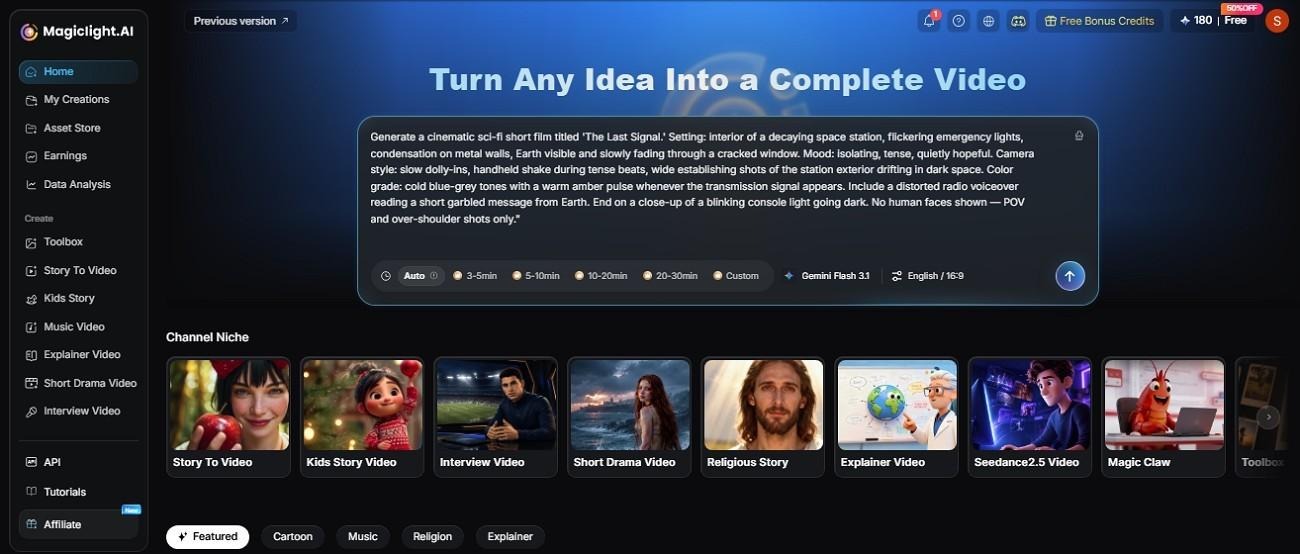
Scene-Based Production: Story to Video generates every scene in story order, which leaves no separate clips to stitch. On a paid plan, one animation can run as long as 50 minutes.
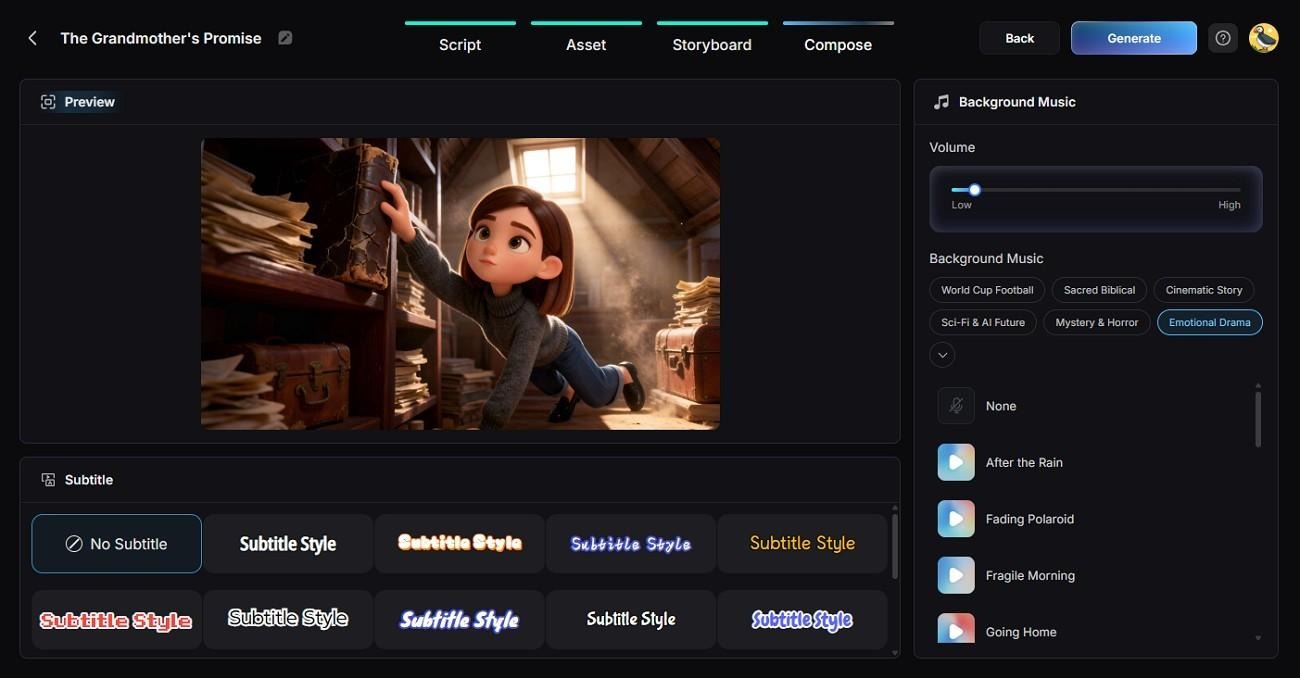
Voices, Music, and Subtitles: Narration runs in 11 languages, using one of 37 built-in voices or a clone of the creator’s own. The soundtrack draws on 40 music tracks, and subtitles come in 16 styles.
Direct Script Input: Script to Video builds scenes straight from your own screenplay, skipping the Agent chat.
Style Presets: Over 52 presets cover looks such as Comic, Picture Book, and 3D Cartoon, giving a children’s lesson a softer finish.
Style and Cast Setup: The style and the cast are chosen once at the start, instead of being described again in every prompt.
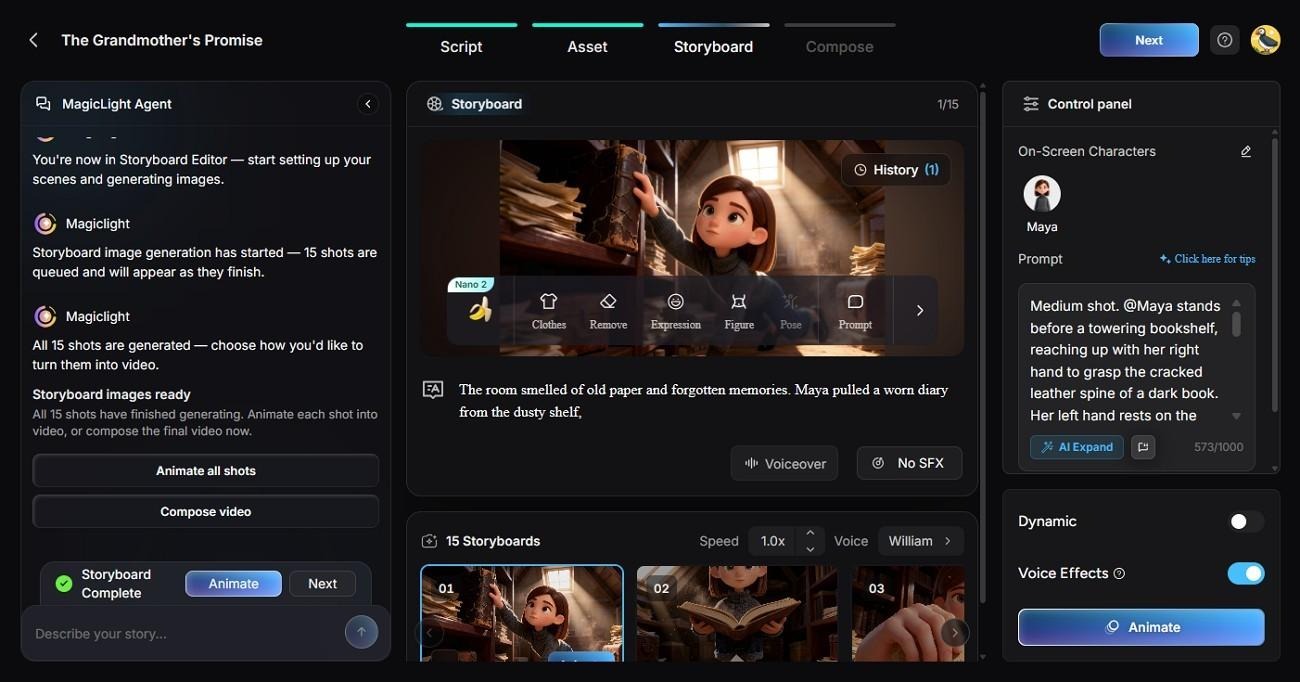
Storyboard Editing: The storyboard’s Clothes, Poses, and Expressions controls adjust each shot before generation, when a fix costs the fewest credits.
Conclusion
An animation agent lets one person handle a project that once needed a small crew. The story, the cast, and the sound all stay in a single workflow, and creative judgment remains with the creator. In MagicLight AI, a short conversation with the Agent is enough to start a voiced animation with a steady cast.
FAQs
Can animation agents create consistent characters?
Yes, animation agents can reuse the same character references across scenes to keep faces, outfits, and other details consistent. Some small details may still need correction or regeneration.
Are animation agents suitable for beginners?
Beginners can start with a simple description instead of drawing or editing everything by hand. MagicLight AI is one place to try “free agents animation,” and new accounts receive limited free credits with no credit card required.
Can animation agents be used for YouTube videos?
Yes, they can create Shorts, explainers, stories, and longer animated videos for YouTube. Creators should still review the final video and choose the correct audience and publishing settings before uploading.
Can animation agents create different animation styles?
Style range depends on the platform, and MagicLight AI lists more than 50 presets under Visual Style Model in its AI animation generator workflow. That list includes a Midjourney style family, and the chosen preset applies to every scene in the project.