
What AI Tools Can Fix on a New Social Profile
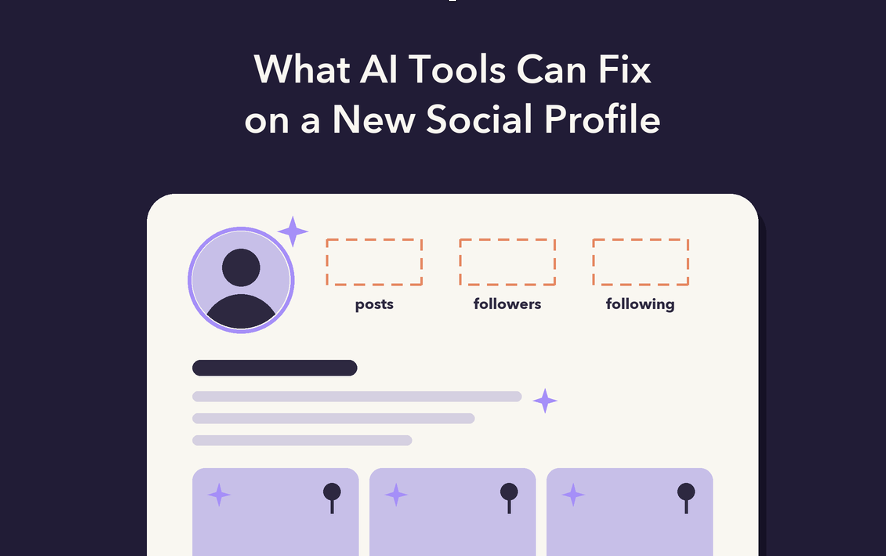
A social media profile is the page someone lands on after tapping your name, and on Instagram, TikTok and YouTube it gets judged in a few seconds, usually before a single post is opened. It holds five things: a photo, a name, a short bio, the posts sitting at the top, and a row of numbers.
AI tools now cover most of that surface. Bio generators, headshot generators and caption writers each have their own shelf in AI tool directories, and the better ones do their narrow job well. This guide walks through the profile part by part, what each type of tool actually changes, and the one part no generator can write for you.
The Five Things a Visitor Reads First
Nobody reads a profile top to bottom. The photo and name register together, the eye skims the first line of the bio, then drops to the grid and the counts beside the photo. The visitor is matching a pattern, asking whether this looks like an account worth following, and the answer forms long before they read a full caption.
Four of those five parts can be drafted, redrawn or rewritten with software. The number row is the only part of the profile an AI tool cannot produce. Followers, following and posts on Instagram, followers and total likes on TikTok, the subscriber count on YouTube: each figure is a record of decisions other people made. A new account shows small numbers even when the photo is sharp and the bio is clever, and a visitor reads that gap as "just started" at best.
Some new accounts handle this cold-start row by adding a first layer of followers, likes or views through an outside provider, and Views4You is one that covers Instagram, TikTok and YouTube in one place. An order runs from the public profile or post link, so no password or login changes hands, and delivery is spread over several days instead of landing in a single jump. It changes how the number row reads to a first-time visitor. It does not create comments, saves or watch time, and it suits an account with a real grid behind it, because a large count sitting above three posts looks odder than a small one.
Bios Are Where AI Writing Tools Earn Their Place
The bio is a compression problem, and fitting a lot of meaning into very few characters is a task language models handle well. Instagram caps a bio at 150 characters, spaces and emoji included. TikTok's field has long been 80 characters, with longer bios rolling out to some accounts. A YouTube channel description can run to 1,000 characters, yet the channel page only previews the opening line before a "more" link, so in practice that first sentence does the work.
A bio generator gives its best output when you feed it three facts instead of a mood: who you are, what you post, and how often. Ask for ten variants under the character limit, then pick one and edit it by hand. Two failure modes show up again and again. Generators often overshoot the limit or miscount emoji, so paste the result into the app before saving. They also drift toward averaged lines like "passionate creator sharing my journey," because an average of every bio ever written sounds like no one in particular. One specific noun fixes most of this: a city, a niche, a posting day.
Profile Photos and the Circle Crop
Every major platform shows the profile photo as a circle, and most of the time that circle appears tiny, beside a comment or at the top of a Reel. A photo that looks fine at full size can turn into an unreadable blur at that scale. AI headshot generators work by training on ten to twenty of your own selfies and returning studio-style portraits with clean light and plain backgrounds. For people who have no good photo of themselves, that alone solves the scale problem. You can explore free AI headshot generators if you want to improve your profile photo without paying for a professional photoshoot.
The framing advice written for a LinkedIn profile picture carries over almost unchanged: face filling most of the frame, eyes clearly visible after the circle crop, a background soft enough not to compete. The caution runs the other way too. If people will meet you on camera or in person, the generated portrait needs to look like you on an ordinary day, since a face that does not match the video underneath it costs more trust than a plain phone photo. Brand accounts face a simpler version of the same test: a logo with thin lettering disappears inside a small circle, so a bold mark or single letter reads better.
Pinned Posts and Captions Do the Selling
Pinned posts carry more weight than anything else in the grid, because they are the first thing a visitor sees below the counts. Instagram and TikTok both let you pin a few posts to the top of the grid. A workable set is one post that explains what the account is, one that has already performed well, and one recent piece that shows the account is active.
Caption tools, including the image-to-caption type that reads a photo and drafts text, are useful for the first line, since Instagram cuts a caption off after the first line or two in the feed. They can also draft alt text. Instagram lets you add it under the post's advanced settings. That text describes the image for screen reader users and gives the platform extra words to understand what the post shows.
Checking Whether the Changes Worked
Instagram's professional dashboard reports profile visits and external link taps for business and creator accounts, and TikTok's analytics include profile views. Neither tells you who visited. The number worth tracking is new follows divided by profile visits over the same window, a rough profile conversion rate. Change one element at a time, a new bio or a new photo, and compare two weeks before with two weeks after. If you swap everything at once, you cannot tell which change moved the rate.
Frequently Asked Questions
Can AI write a bio that fits Instagram's limit?
Most generators accept a length instruction, but many still overshoot or miscount emoji. The counter inside the app is the final check, so paste the draft there before saving.
Is it a problem to use an AI-generated profile photo?
For a personal portrait it breaks no platform rule, but it becomes a problem when the image looks noticeably different from you on video. Keep the generated version close to how you actually look.
Do pinned posts get more reach?
Pinning changes where a post sits on your profile, not how widely the platform distributes it. Its value is in converting visitors who have already arrived.
Can I see who visited my profile?
Instagram does not show who viewed your profile, only how many visits it received. TikTok offers a profile view history, but it works only when both accounts have the setting switched on.