
AI Wildlife Photography Ideas for Believable Animal Encounters
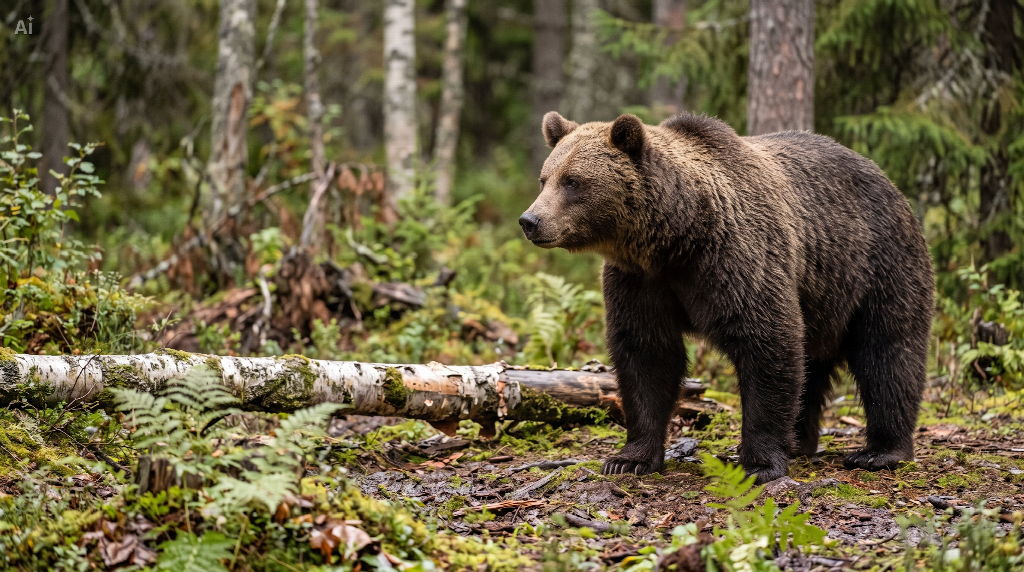
AI wildlife photography ideas begin with a moment: a bear pausing beside a fallen tree or a hawk settling onto a branch. With an AI image generator, describe that action and its surroundings before choosing dramatic scenery. A recognizable pose and a textured habitat can make an imagined encounter feel photographic. A quiet pause, a landing, and a drink at a stream each depend on different points of contact.
A Quiet Forest Encounter With a Brown Bear
Choose a pause when you want the viewer to notice the animal first. A slight turn of the bear's head can hold attention, especially when its gaze leads into an open part of the frame.
The fallen log and nearby plants establish scale around the bear. Its paws meet the mossy ground, while the soft trees give the clearing depth. Leaving woodland visible around the animal makes the encounter feel situated.
A prompt for the forest scene
Create a horizontal photorealistic image of one adult brown bear paused beside a low fallen birch log in a damp woodland clearing. Place the bear on the right, in three-quarter side view, looking toward open space on the left. Give it coarse brown fur, small rounded ears, a closed mouth, and a broad shoulder mass. Show its weight resting naturally on paws supported by moss and soil. Add peeling birch bark and a few softly blurred fern fronds along the lower foreground. Use soft overcast light and muted earthy colors. Keep the face clear and the more distant trees softer. Include the full body, with no people, accessories, or other animals.
The important instruction is the pause beside the log. Adding “walking, sniffing, turning, and looking at the camera” would ask one still image to carry several different actions. Decide which instant matters, then give that instant enough space.
For a quieter variation, move the bear farther into the clearing and show more of the forest. For a more intimate composition, bring the framing closer while keeping the paws and the ground beneath them visible. That contact helps convey the animal's weight. To bring the scene to life, an AI Animal Video Generator can turn the finished still into a short clip of the bear slowly lifting its head. Higgsfield helps bring still wildlife scenes to life through motion.
A Hawk Settling Onto a Woodland Branch
Choose a brief movement when you want a more energetic image. A landing offers a clear relationship between the animal and its setting: the branch is the destination, the feet make contact, and the wings describe the remaining motion.
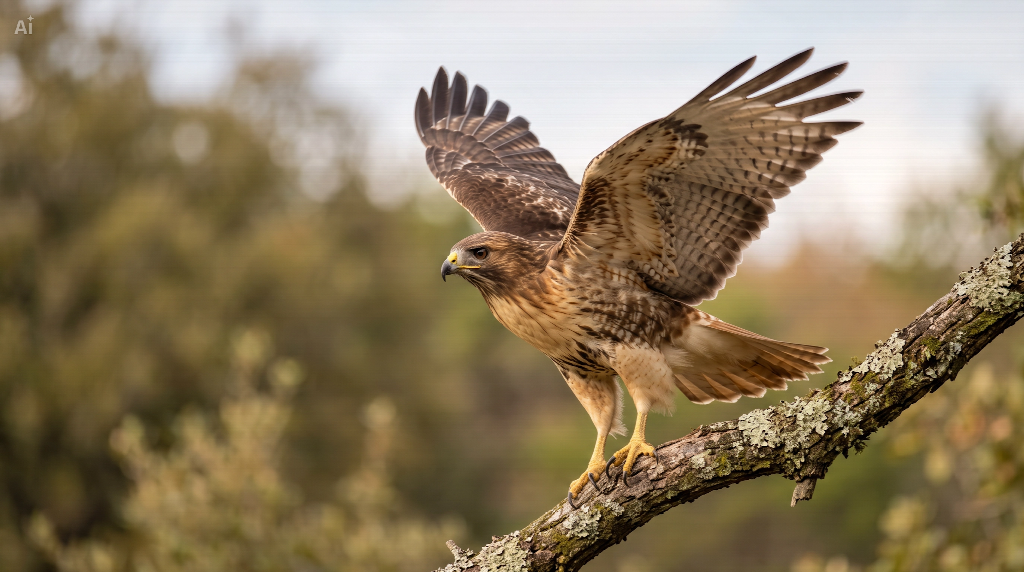
Give the bird room above and beside its wings. A tight crop can make the posture difficult to read, even when the feather detail is attractive. The background should separate from the wing edges, with no bright twig running through the eye or merging into the beak.
A prompt for the landing moment
Create a horizontal photorealistic wildlife-style image of one brown hawk just settling onto a lichen-covered branch at the edge of open woodland. Show its full body in a three-quarter view, with both feet gripping the branch and its two wings partly raised as it balances. Keep the face and curved beak clearly defined, with layered brown and cream feathers and a natural tail. Leave space around both wingtips. Use soft afternoon light, muted green foliage in the distance, and a few unobtrusive branches that establish the habitat. Keep the bird separate from the background. No people, gloves, straps, other birds, prey, or text.
This prompt describes a single stage of the landing. It does not ask the bird to fly toward the viewer and perch at the same time. If you prefer a resting hawk, change the action to “perched with both wings folded” and keep the rest of the scene simple.
The branch should remain visible around the feet. Follow its line through the composition and check where each foot grips it. That small area explains the pose more effectively than adding more feather detail across the entire image.
A Drinking Bear Needs a Stable Place to Stand
Lowering the head changes the whole pose. In this streamside scene, the bear's shoulders and neck slope toward the water while its paws stay supported by the bank. Small ripples beneath the muzzle identify the drinking moment without a splash or another animal to explain it.
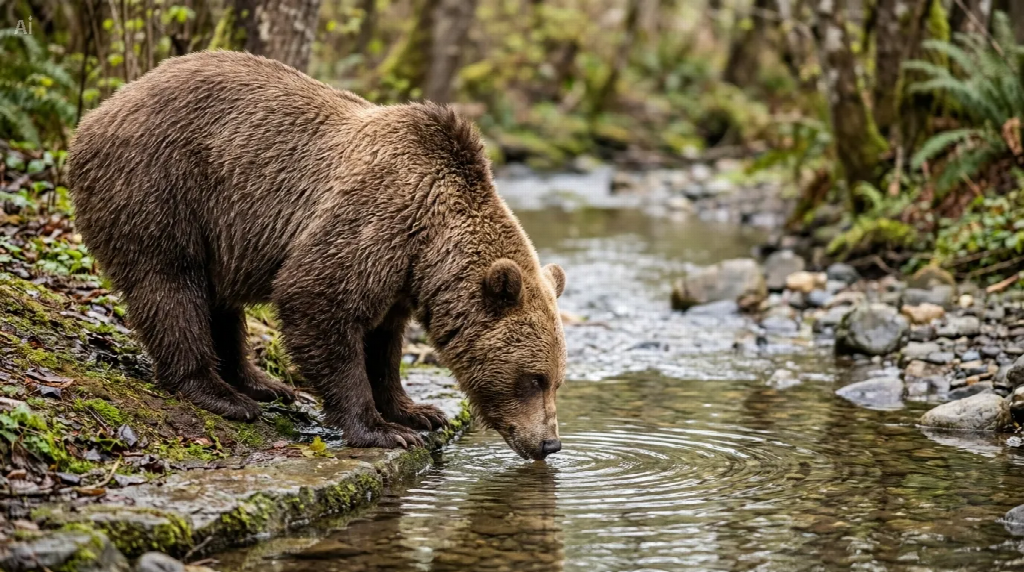
The visible strip of rock between the front paws and water matters. It connects the bear's weight to the bank and leaves the head enough room to reach down. Hiding that strip behind foliage would make the stance harder to judge. The stream's curve also leaves space in front of the lowered face.
To adapt the forest idea, replace the log and upright pause with a shallow stream and a supported forward lean. Describe the front paws on a low stone edge, hind paws on the sloping bank, and muzzle at the water surface. Keep the full body in view so the posture has an explanation beyond the head alone. Check where the near and far legs overlap before adding reeds or foreground leaves; extra vegetation should not be needed to conceal uncertain anatomy.
What to Decide Before Generating Your Own Scene
Start with the action you want a viewer to recognize. A pause works when the animal's posture and surroundings are the main interest. A landing works when the shape of the body and the space around it carry the moment. Neither needs an unusual species to be engaging.
Next, decide how much habitat belongs in the frame. A wide view can show an animal emerging from cover. A closer view can reveal its expression or the arrangement of its feathers. Avoid describing a sweeping landscape and an extreme facial close-up in the same request; each needs a different composition.
Specify one clear point of contact. For the bear, it is the paws meeting the forest floor. For the hawk, it is the feet around the branch. Ground, bark, and vegetation give the animal something to stand on or move through. A completely blurred background may leave too little context for the encounter you intended.
You can develop these ideas in CapCut's AI image generator. Open the tool, sign in, and enter the prompt for the scene you have chosen. Text alone is enough to begin; if you use a reference image, select one you have permission to upload. Describe the new composition rather than asking for a duplicate.
Refine the Pose Before Adding More Detail
When reviewing an image from an AI photo generator, look first at the silhouette. Can you understand the bear's stance or the hawk's landing without zooming in? Then inspect the paws or feet, the visible joints, and the relationship between the head and body. Keep some natural overlap, but make sure it does not hide the action you chose.
Use a specific follow-up prompt in CapCut if the pose needs adjustment. For the bear, you might ask: “Keep the forest and framing, but make the near front paw rest clearly on the moss.” For the bird: “Keep both feet on the branch and leave more space above the raised wings.” Review the new result before changing the lighting or background as well.
Once the posture reads clearly, check the coat or plumage. Small changes in fur direction or feather overlap give the surface character; uniformly sharp detail everywhere can distract from the face. Save the approved image using Download, along with the prompt that describes its particular moment.
Summary
A believable wildlife scene gives an animal a clear action and a convincing place within its habitat. Try a forest pause, a brief landing, or a streamside drink with CapCut's AI image generator, then refine the pose and contact points before adding more detail.