
Best AI Face Swap Tools in 2026: Top 5 Picks for Photos & Videos
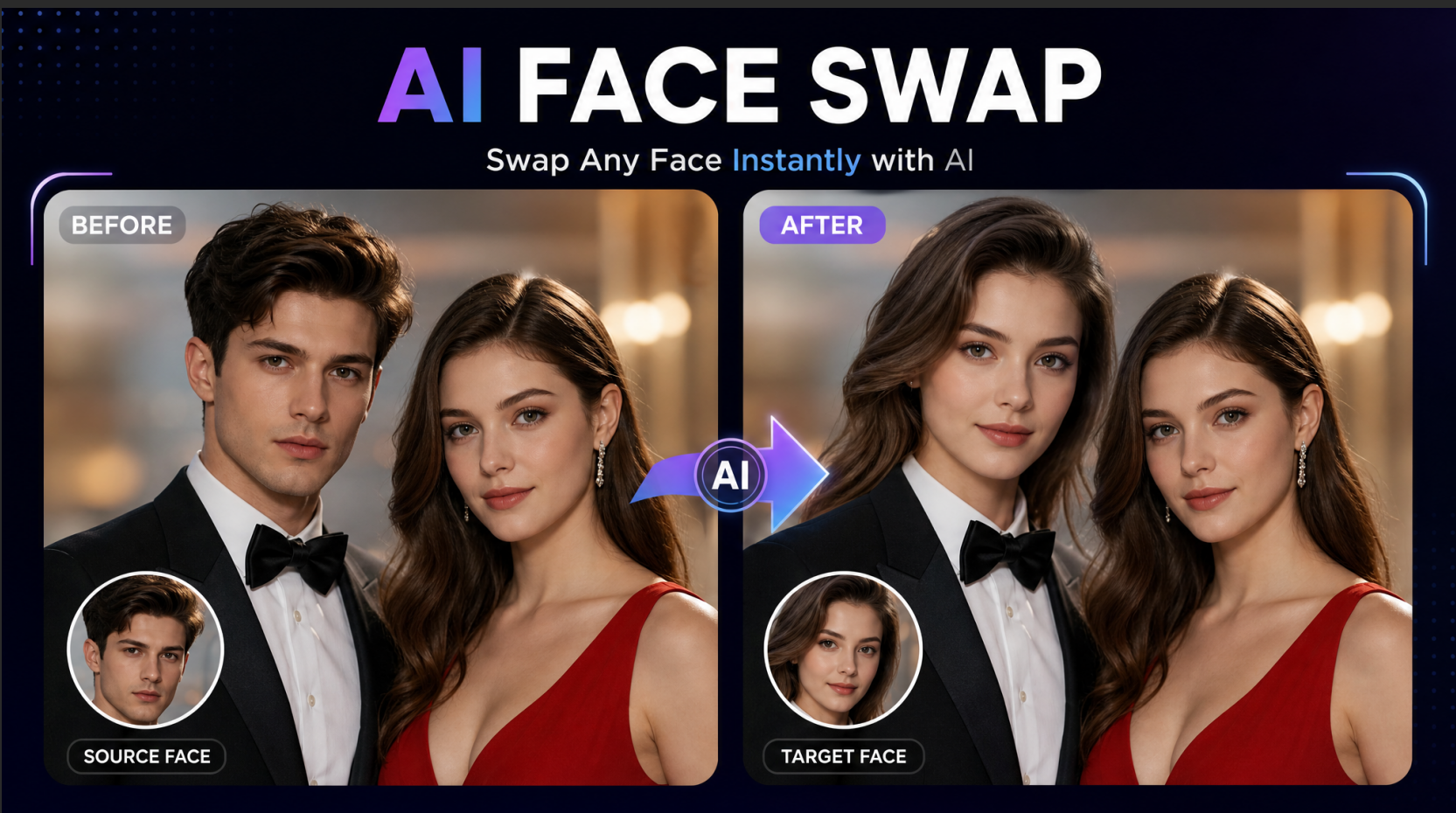
AI-powered image and video editing has evolved from a niche visual-effects trick into an essential tool for digital creators, marketers, and casual users. Today, swapping faces in photos and video clips no longer requires advanced Photoshop knowledge or high-end rendering hardware. Modern AI face swap platforms leverage neural networks to blend facial features, lighting, and expressions naturally in seconds.
Whether you are looking to generate viral social media memes, scale e-commerce marketing materials, or experiment with personalized avatars, choosing the right tool is key. Below is a comprehensive review of the 5 best AI face swap tools in 2026, featuring an in-depth spotlight on our top pick: EaseMate.
Common Use Cases for AI Face Swap
Social Media & Viral Content Creation: Creators use face swapping to build trending memes, short-form comedy skits, and personalized reaction clips for platforms like TikTok, Instagram Reels, and YouTube Shorts.
Commercial Marketing & E-Commerce: Brands swap faces onto model templates to tailor global ad campaigns for specific regional demographics without paying for extra photoshoots.
Entertainment & Fan Fiction: Film enthusiasts and gamers substitute their own faces into iconic movie scenes, game trailers, or cosplay art.
Personal Digital Avatars & Style Testing: Users test out new hairstyles, outfits, or professional headshots virtually before making real-world styling decisions.
Key Evaluation Criteria: How We Chose the Best Tools
To select the top platforms, we tested dozens of generators against five strict standards:
Swap Realism & Feature Blending: How well the algorithm handles skin tone matching, facial angles, dynamic lighting, and hair boundaries without creating an artificial "sticker" effect.
Processing Speed & Performance: The time required to render high-resolution photos or multi-frame HD videos.
User Experience (UX): Simple, intuitive interfaces that let non-technical users achieve clean swaps in 1 to 3 clicks.
Media Versatility: Native support for both static images (JPEG, PNG, WEBP) and dynamic video formats (MP4, MOV).
Privacy & Data Security: Transparent data handling practices, enterprise-level encryption, and automatic file deletion policies.
Top 5 AI Face Swap Tools in 2026
1. EaseMate (Featured Recommendation)
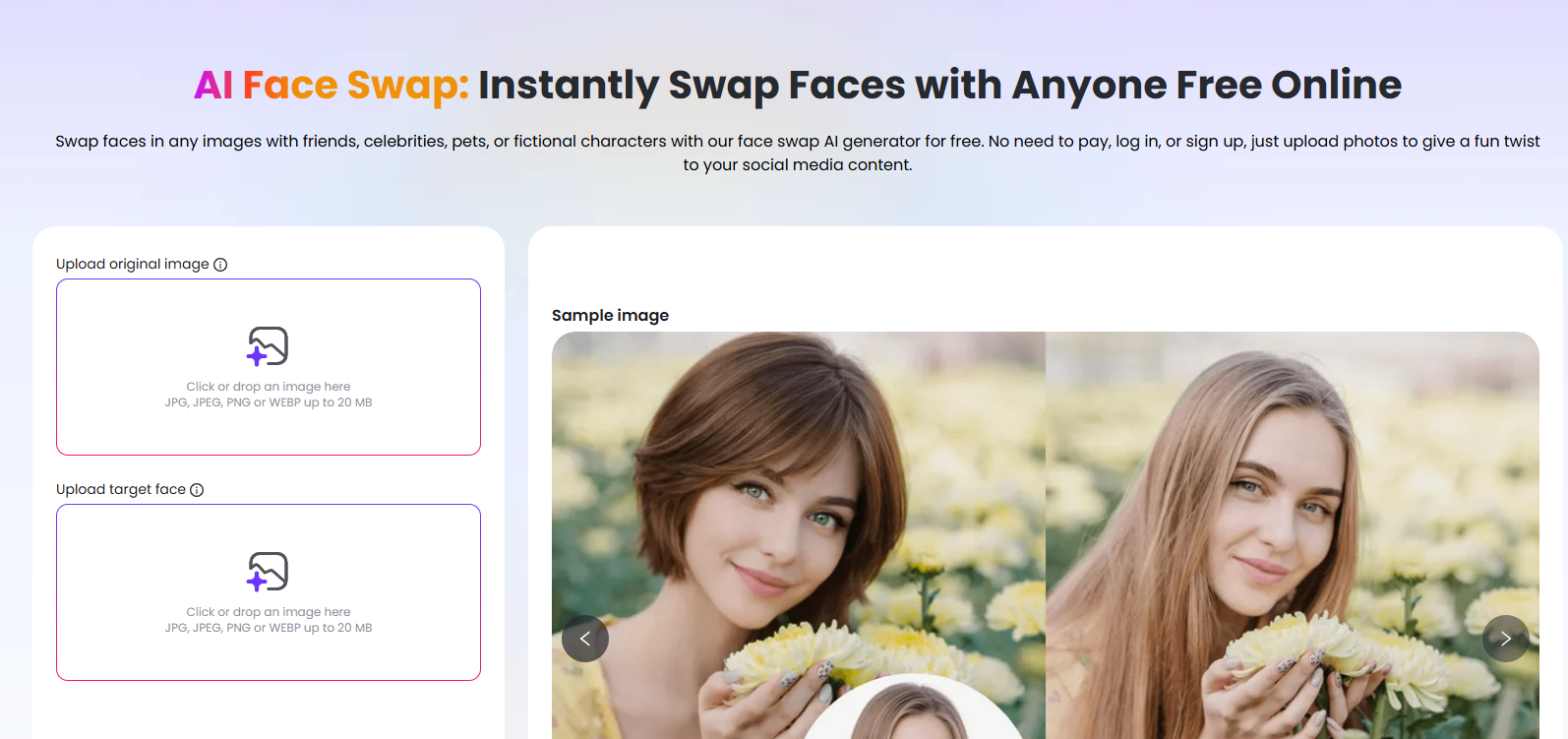
EaseMate stands out as the ultimate all-in-one AI platform for both photo and video face swapping. Powered by top-tier generative models (such as Kling, Veo 3, and Sora 2), EaseMate automatically aligns lighting, skin texture, and complex facial movements across static and dynamic media. Unlike platforms that leave harsh boundaries around the jawline, EaseMate preserves expressions and micro-movements for hyper-realistic visual output.
It supports cross-platform access via web browsers and mobile apps, offering high-definition, watermark-free exports alongside a complete suite of editing tools like AI video enhancement and background removal.
How to Use EaseMate for Face Swapping:
Navigate to the Tool: Open EaseMate AI in your browser or launch the mobile app, then select AI Face Swap (Photo or Video).
Upload Your Source & Target Files: Drag and drop your target base media (a photo or a video clip up to 120 seconds) and upload a clear, front-facing source photo of the face you want to insert.
Generate: Click Generate. EaseMate's underlying neural network analyzes the facial features, expressions, and lighting dynamics automatically.
Preview & Download: Preview your high-resolution, watermark-free output and download it directly to your device.
2. Remaker AI
Remaker AI is a web-based utility designed for fast, lightweight image modifications. It excels at quick single-photo swaps and supports multi-face swapping within group photos, making it a reliable pick for family portraits or group event edits.
How to Use Remaker AI:
Visit the Remaker AI Face Swap page on your browser.
Upload your original target image containing the body/background.
Upload the target face photo you want to swap in.
Click Swap and save the resulting image once processing finishes.
3. Reface
Reface is a popular mobile app focused primarily on short-form entertainment content and viral memes. Featuring a massive library of updated movie scenes, music video clips, and trending GIFs, it lets users place themselves directly into pop-culture media.
How to Use Reface:
Download the Reface app on iOS or Android and capture a clear selfie.
Browse the built-in catalog of trending templates, GIFs, or film clips.
Select your chosen template and tap Swap Face to automatically compile and share your clip directly to social platforms.
4. Icons8 Face Swapper
Icons8 Face Swapper is a clean, photo-centric online editing tool geared toward graphic designers and content curators who need clean static image replacements. It utilizes built-in face detection to handle resolution scaling and automatic color correction.
How to Use Icons8 Face Swapper:
Upload your primary image directly into the Icons8 web canvas.
Drag and drop the secondary face photograph into the swap pane.
Allow the AI to automatically align features, then download the enhanced graphic.
5. Vidnoz AI
Vidnoz AI is a video generation and face-swapping platform designed primarily for corporate presentations, marketing materials, and digital avatars. It gives businesses the tools to produce localized video ads with digital actors without requiring on-site camera crews.
How to Use Vidnoz AI:
Go to the Vidnoz AI Video Face Swap interface.
Upload your raw video file or choose from their stock video library.
Upload a portrait image containing the face you want to apply.
Render the video and export the final file from your dashboard.
Comparative Summary Table
Tool Name | Primary Focus | Swap Realism | Ease of Use | Key Highlight |
EaseMate | Photo & HD Video | Exceptional (5/5) | Extremely Easy | Watermark-free exports, multi-model engine, high realism |
Remaker AI | Static Photo / Group | High (4/5) | Very Easy | Good for multi-face group photos |
Reface | Mobile Short Videos/GIFs | Moderate (3.5/5) | One-Tap | Large pre-made viral template library |
Icons8 Face Swapper | High-Res Photos | High (4/5) | Easy | Automatic resolution and color matching |
Vidnoz AI | Marketing Videos | High (4/5) | Moderate | Integrated with corporate video templates |
Frequently Asked Questions (FAQ)
Q1: Is AI face swapping legal and safe to use?
Yes, using AI face swap technology for personal entertainment, meme creation, or commercial projects with properly licensed materials is legal. To protect your privacy, use secure platforms like EaseMate. EaseMate uses enterprise-grade encryption, guarantees strict user data confidentiality, and ensures uploaded assets are never shared or used to train public AI models. Always respect third-party copyright and individual publicity rights.
Q2: Can I swap faces in dynamic videos, or only in static photos?
You can do both! While older tools were limited to still images, modern platforms like EaseMate and Vidnoz support full video face swapping. EaseMate processes video clips up to 120 seconds long while maintaining frame-by-frame expression consistency and lip alignment.
Q3: What type of source photo produces the best face swap result?
For optimal blending, upload a high-resolution, forward-facing photograph with clear lighting. Avoid photos with strong shadows, extreme angles, heavy sunglasses, or hair obscuring key facial features (eyes, nose, and mouth).
Q4: Why is EaseMate ranked as the top overall choice?
EaseMate leads the market because it strikes an ideal balance between quality, speed, and versatility. Powered by advanced AI models, it offers flawless visual quality for both photos and videos, exports watermark-free results, and packs additional editing tools like AI video enhancement and background removal under one roof.
Conclusion
Choosing the best AI face swap tool depends on your specific workflow—whether you need quick meme templates on your phone or business presentation clips. However, for users seeking professional-grade realism, video compatibility, zero watermarks, and reliable privacy protection, EaseMate is the clear top choice for 2026. Try out your first swap on EaseMate today to elevate your content creation workflow.