
Apple Watch AI Integrations to Make the Most out of Your Daily Wear
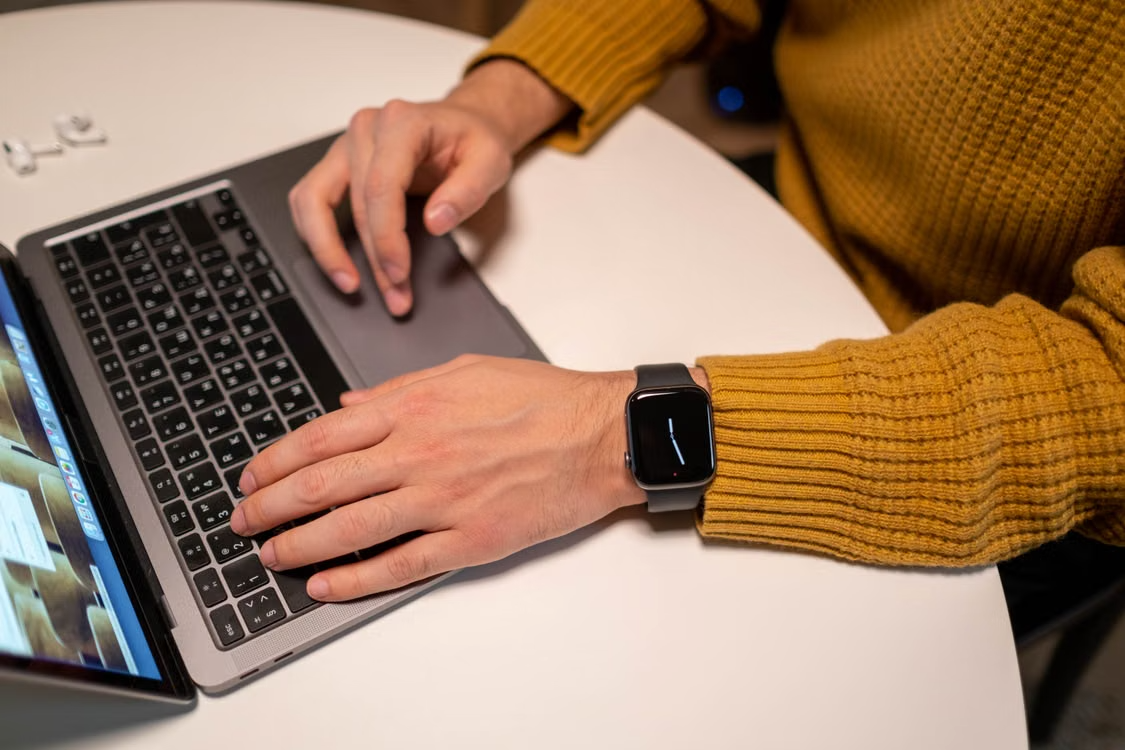
When you ask 10 owners of Apple Watches what their watches do for them, you will almost always get the same response. It displays the time. It is buzzing. Steps are counted. That's a lot of silicon doing very little.
Almost no one modifies the watch's settings beyond the first week, yet Apple has subtly transformed it into one of the most powerful on-device AI devices that most people own. The watch continues to mimic a 2016 fitness band while the functionalities are either turned off or ignored.
Why The Wrist Is A Bad Place For A Chatbot
With a 1.5-inch screen, no one wants to have a discussion. Reading lengthy output is worse than typing, and every second you waste gazing at your watch is a second you might have spent using your phone to do the task more quickly. A category mistake occurs when wearable AI imitates a desktop assistant.
What the watch is unusually good at is running inference locally, all day, on signals no other device in your life can see. Counterpoint Research found that Edge AI-capable smartwatches reached 25% of global shipments in the first quarter of 2026, growing 70% year over year, with Apple accounting for roughly nine in ten of those units.
On-device processing is the whole point: heart rhythm patterns, sleep staging, and fall detection get handled by the watch's neural engine instead of a server somewhere.
A Three-Job Framework For Wearable AI
Every feature worth enabling does one of three jobs. If it does none of them, turn it off and reclaim the battery.
Notice: Let The Watch Do The Watching
Irregular rhythm notifications, hypertension notifications, sleep apnea flags, sleep scoring, fall and crash detection. None of these ask anything of you. They run in the background and stay silent until a pattern crosses a threshold, which is exactly the right behavior for health monitoring.
One honest caveat. These are screening tools, not diagnostics, and a notification is a prompt to see a doctor rather than a verdict. Treat it that way and it works well. Treat it as a medical opinion and you will spend a lot of evenings on the wrong parts of the internet.
Nudge: Motivation That Actually Reads Your History
Workout Buddy is the most interesting thing Apple has shipped for fitness in years. It uses your workout history, heart rate, pace, distance, and ring progress to generate spoken encouragement mid-session, in a voice model built from Fitness+ trainer audio. Apple's own watchOS update notes cover the current feature set if you want the official version.
It is also fussier than most people expect. You need Bluetooth headphones, since it will not play through the watch speaker. You need a nearby iPhone that supports Apple Intelligence. It covers running, walking, cycling, HIIT, and strength work, and it ignores yoga, swimming, and most specialized activities entirely.
Whether you like it is a personality question. Some find the mile-marker commentary motivating. Others find a synthetic voice congratulating them on a streak vaguely humiliating. Try it for two weeks before deciding.
Narrow: Cut The Number Of Taps
Smart Stack hints surface the widget you were about to open before you open it. Wrist flick dismisses a call or timer without touching the screen. Dictation on the watch has quietly become good enough for real replies, not just "ok" and "on my way." Shortcuts triggered from a complication can start a workout, log water, or fire off a location text in one tap.
None of this is exciting. All of it compounds. The same logic that drives how AI tools are making people more productive at a desk applies on the wrist, just at a smaller scale and higher frequency.
The Unglamorous Thing That Decides Your Data Quality
A band that slides two centimeters down your forearm during a run produces gaps in heart rate data, and gap-filled data produces worse sleep scores, worse recovery estimates, and more false readings. Apple's own guidance on wrist detection accuracy says roughly the same thing in politer language.
Fluoroelastomer sport bands are the default for a reason, but they trap sweat, and plenty of people react badly to metal links or leather in summer. If you have ever pulled off your watch after a workout to find an angry red rectangle underneath, that is your data quality problem and your comfort problem arriving together.
Guides on how to choose the perfect Apple watch band tend to focus on material and closure type, which is the right lens, though the honest answer is that most people need two bands rather than one perfect band: something breathable for training, something you are willing to wear into a meeting, and Solace Bands has both.
Where Third Party Apps Still Beat Apple
Athlytic and Bevel both reinterpret Apple Health data into recovery and strain scores, which is the one thing Apple has stubbornly refused to do natively. Gentler Streak is better than the Activity app at telling you to rest. AutoSleep still beats built-in sleep tracking on granularity.
If you want to browse the wider category before committing, the top-rated AI tools directory is a reasonable starting point for comparing what is actually being used versus what is being marketed.
And if closed-loop recovery scoring is your priority above all else, an Oura ring or a Whoop band still does that job more single-mindedly than a watch does. The watch wins on breadth. It does not win on every axis, and buying one expecting it to outperform a dedicated recovery tracker is a good way to be annoyed.
A Fifteen Minute Setup Worth Doing Once
Open the Health app on your iPhone and turn on every passive notification your hardware supports. Rhythm, hypertension, sleep apnea, high and low heart rate.
Wear the watch to bed for at least seven consecutive nights. Sleep scoring needs a baseline before it says anything useful.
Enable Workout Buddy in the Fitness app, pair headphones, and test it on one easy run rather than a session you care about.
Rebuild your Smart Stack around three widgets you genuinely use. Delete the rest.
Add one Shortcut to a complication. Just one. Pick the thing you do most often on your phone that could be done faster on your wrist.
Check band fit after your next workout. If there is a mark, change something.
Wider context on how wearables shift day-to-day health behavior is worth reading if you want the research angle, and Coruzant's look at technology and personal wellness covers the behavioral side well.
What To Leave Switched Off
Turn off notification mirroring for apps you would not answer within five minutes. Turn off stand reminders if they make you resentful rather than active, because a nudge you have learned to ignore is worse than no nudge. And be deliberate about which third-party apps get read access to your health data, since health data is the most sensitive category most people carry around.
The questions worth asking are the same ones raised in this breakdown of what actually matters when choosing a privacy-first AI assistant: where does processing happen, what leaves the device, and who else sees it.
Conclusion
A well-set-up Apple Watch tells you three or four things a day that you would not otherwise have known, and stays quiet the rest of the time. A badly set-up one interrupts you forty times and tells you nothing.
The hardware is identical. The difference is fifteen minutes of setup, a band that keeps the sensor where it belongs, and a willingness to switch off the features that are not doing one of the three jobs. Start with passive detection. Add nudges only if you respond to them. Cut taps wherever you can. That is the whole strategy.