
A
Audio Converter AI
September 18, 2026
5/5
User Satisfaction
5/5
Ease of Use
5/5
“#1 Audio to Text Tool”
What do you like about Transcribe Audio to Text?
Fast and accurate
What did you dislike about Transcribe Audio to Text?
no
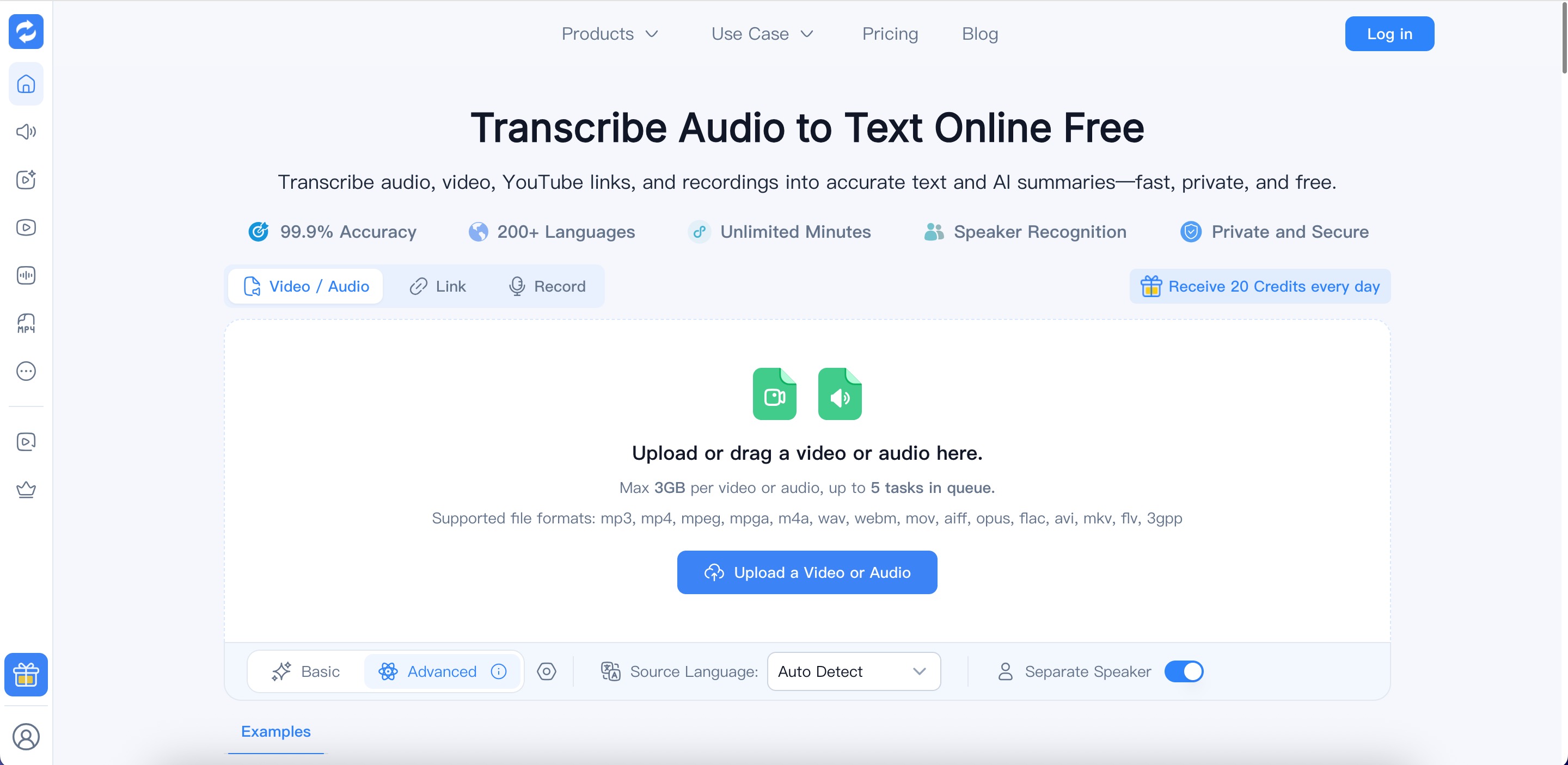
Audio Converter AI transcribes audio, video, and YouTube links into editable text with timestamps, speaker labels, and AI summaries. It supports more than 200 languages and accepts a range of media formats.
Transcribe Audio to Text with AI and turn audio recordings, videos, and online content into accurate, searchable, and editable transcripts. Audio Converter AI supports content from YouTube, TikTok, Instagram, Facebook, X, Bilibili, Google Drive, Dropbox, and publicly accessible MP3 or MP4 links, as well as uploaded audio and video files.
It is built for creators, podcasters, students, educators, journalists, researchers, marketers, and businesses that need to convert spoken content into text. Use it to transcribe interviews, meetings, podcasts, lectures, webinars, courses, voice recordings, and long-form videos, then reuse the transcript for notes, summaries, subtitles, captions, articles, and social media content.
Audio Converter AI
September 18, 2026
What do you like about Transcribe Audio to Text?
Fast and accurate
What did you dislike about Transcribe Audio to Text?
no
From $37
Generate subtitles, transcribe audio and video in 70+ languages, and quickly create text, articles, and blog posts.

Contact for pricing
Voice-driven digital assistants, customer service automation, and expressive speech generation in multiple languages.

Free tier available
Create real-time multilingual meeting transcripts, securely share via cloud-based platform.
Free
Convert audio to text in multiple languages, customize transcription process, and get affordable, fast turnaround transcription.