
Budget categories: a PennyGuard starter list of 10
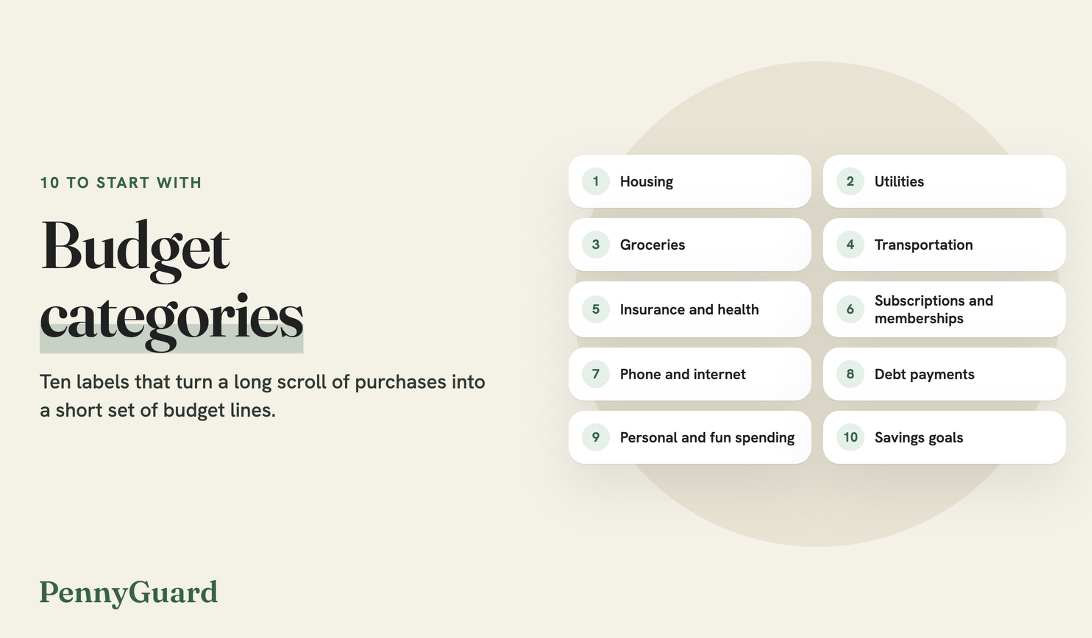
Budget categories are the labels you sort spending into: housing, groceries, a night out. They turn a long scroll of card purchases into a short set of lines, which lets a monthly budget answer practical questions, such as how much went to food last month or what is left for the weekend.
The ten categories below are a starting set for anyone building a first budget, or rebuilding one that no longer matches how they live. They fall into three groups (essentials, regular commitments, and flexible and future spending), and each entry says what goes on that line and why it helps to keep it separate. Rename, merge or split them as you go, since the names only need to make sense to the person keeping the budget.
Essential budget categories
These five cover housing, the utilities that keep it running, food, getting around and insurance. They are usually the largest lines in a monthly budget and the slowest to change, so filling them in first shows how much room is left for the other two groups.
1. Housing
Rent or mortgage payments go here, along with other costs tied to the home, such as association dues, a parking spot rented with the apartment and small repairs. Owners also add property taxes if the mortgage payment does not already include them. Many set aside a modest amount each month for upkeep, so a new water heater or a roof patch has money waiting when it comes up. Smaller items such as furnace filters and faucet washers fit this line too, since they come with the home.
Why it works: Housing is usually the largest fixed payment, and knowing that number first tells you what the other nine lines have to fit around.
2. Utilities
Electricity, gas, water, sewer and trash pickup belong in this category. Many of these bills rise and fall with the seasons. If your provider shows a year of past bills in your online account, plan for the higher months rather than the yearly average, or ask whether it offers budget billing, which spreads the cost more evenly across the year. Bills that arrive every other month, as water and sewer do in some towns, can be divided in two so the monthly line stays accurate.
Why it works: A year of history shows which months run high, so money for the January heating bill can go aside in the fall.
3. Groceries
Food and household supplies from the store go here: produce, pantry staples, cleaning products, toiletries and pet food. Restaurant meals and takeout are easier to track under personal and fun spending (item 9), since they rise and fall for different reasons than the weekly shop.
Why it works: You have to eat, but the amount has a lot of give in it, and a separate line shows whether a meal plan or a shopping list is moving the total from one month to the next.
4. Transportation
Car payments, fuel, parking, tolls, transit passes, rideshares and routine maintenance all fit here. Costs that come up once or twice a year, such as registration or new tires, can either get a small monthly amount in this line or move to irregular costs in item 10. Households without a car can keep this line short, since a transit pass and the occasional rideshare may cover it.
Why it works: Fuel, fares and repairs arrive on different days and in different amounts, and adding them up in one place shows what getting around costs in a typical month.
5. Insurance and health
Health, car, renters or home, and life insurance premiums go here, together with regular health costs such as prescriptions, copays, glasses and dental cleanings. If your employer takes a health premium out of your paycheck, note it in this line so the full cost stays visible, even though it comes out before your pay reaches your account. Costs that come once or twice a year, such as dental visits, can be split into monthly amounts in the same way as the yearly bills in item 10.
Why it works: Premiums hold steady while appointments and refills come in bursts, so a shared line lets the quieter months carry part of the cost of the busier ones.
Regular commitments
These three lines repeat on a schedule, and many people set them to pay automatically so the due dates take care of themselves. A quick look every month or two keeps the amounts in your budget matched to what is actually billed.
6. Subscriptions and memberships
Streaming services, a music plan, cloud storage, a gym membership, a news subscription and a meal kit all belong here, along with anything else that renews on a set date. Listing each one with its price and next renewal date gathers charges spread across the month into a single line you can read at a glance. Plans billed once a year are worth marking, since they may not show up in the last month or two of card activity.
Why it works: Seen as one total, a handful of plans billed on different days can be weighed against other lines, such as fun money, when you decide which ones to keep.
Where PennyGuard helps: Item 6 is the line closest to what PennyGuard does. The subscription cancellation app and budget tracker finds subscriptions, recurring bills and duplicate charges in the bank or card you connect and, if you choose, your email, and you confirm which are yours. Services you add yourself, such as a gym membership, join the same list, and upcoming charges show before they renew. PennyGuard also shows what you spend each month.
7. Phone and internet
Mobile plans, home internet and any device payments added to the phone bill go here. Writing down the current monthly amount for each makes a change easy to spot, such as a different total after a plan update. If a phone payment is rolled into the bill, note the month it ends, since the total will change then.
Why it works: For many households these bills are close to a need for work and school, and giving them their own line keeps them from blending into utilities or subscriptions.
8. Debt payments
Credit card payments, student loans and personal loans fit here, plus a car loan if you would rather not count it under transportation. Listing the due date and the minimum payment next to the amount you plan to pay keeps all three numbers in view.
Why it works: Due dates fall at different points in the month, and seeing them in one line shows which paycheck each payment should come from.
Flexible and future spending
The last two categories hold money that no bill has claimed yet: what you spend for enjoyment and what you set aside for later. One common rule of thumb, the 50/30/20 rule, sends about half of take-home pay to needs, about 30 percent to wants and about 20 percent to savings and debt payments. It is one starting point among several, and plenty of budgets use a different split.
9. Personal and fun spending
Restaurant meals and takeout, hobbies, haircuts, clothes beyond the basics, gifts and concert tickets go here. Choosing an amount at the start of the month lets you spend it without second-guessing each purchase. Naming a few likely uses, such as two dinners out or a friend's birthday gift, makes the amount easier to set.
Why it works: When dinners out are already in the plan, paying for one does not feel like breaking the budget, and that makes the other nine lines easier to follow.
10. Savings goals and irregular costs
This line holds savings goals, such as an emergency fund, a trip or a new laptop, and irregular costs you know are coming once or twice a year: car registration, yearly memberships, holiday gifts and school supplies. Dividing each yearly amount by twelve and setting that aside monthly turns a large bill into a small line. Writing the month next to each irregular cost, such as registration in spring and gifts in December, shows when each one is due. In PennyGuard, a yearly membership shows up among your upcoming charges ahead of its renewal date, a useful reminder to check that the money for it is in place.
Why it works: When a known but occasional bill comes due, the money is already waiting for it, so it does not come out of this month's groceries.
How to use this list
• Start with the ten names as written, then rename any that do not fit how you live.
• Sort one month of bank and card activity into the categories to see where your money went.
• Merge categories that hold only one or two charges, and split any that grow too large to read.
• Set a target amount for each category before the month begins.
• At the end of the month, compare actual totals with the targets and adjust one or two lines at a time.
• Leave a short note in any category that changed, so next month's budget makes sense when you open it.